
Live demo Magento 2 admin extension

Cron Schedule

See every cron job, change when it runs and get an email when one fails, all from the Magento admin without touching code or the server.

Open the admin demo

One click, no password needed

What you'll see

  • A real Magento admin with every cron job of the store
  • Two days of run history with successes, errors and missed runs
  • Numbered dots explain each feature on the screen
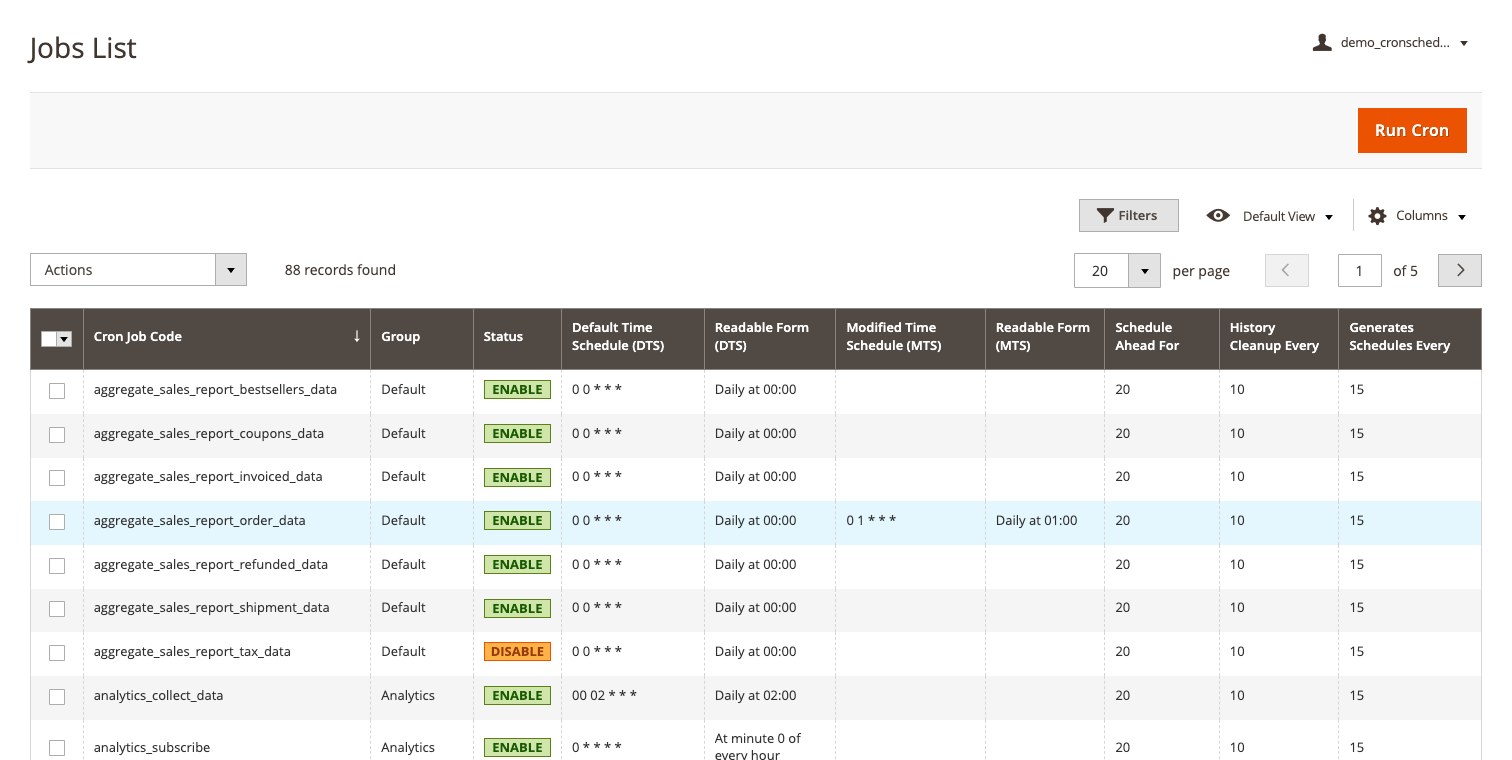
The Cron Jobs grid in the Magento admin: each job with its schedule in words, its status, and a changed schedule beside the default
  1. 1Open the admin demoOne click signs you in to a real Magento admin. No password, no sign-up.
  2. 2Follow the numbered dotsEach dot sits on the real admin screen and explains one feature. The same numbers are listed here.
  3. 3Try it yourselfFilter, sort and change settings. The demo account is limited to this extension.
Open the admin demo

Demo account limited to this extension and the pages it needs.